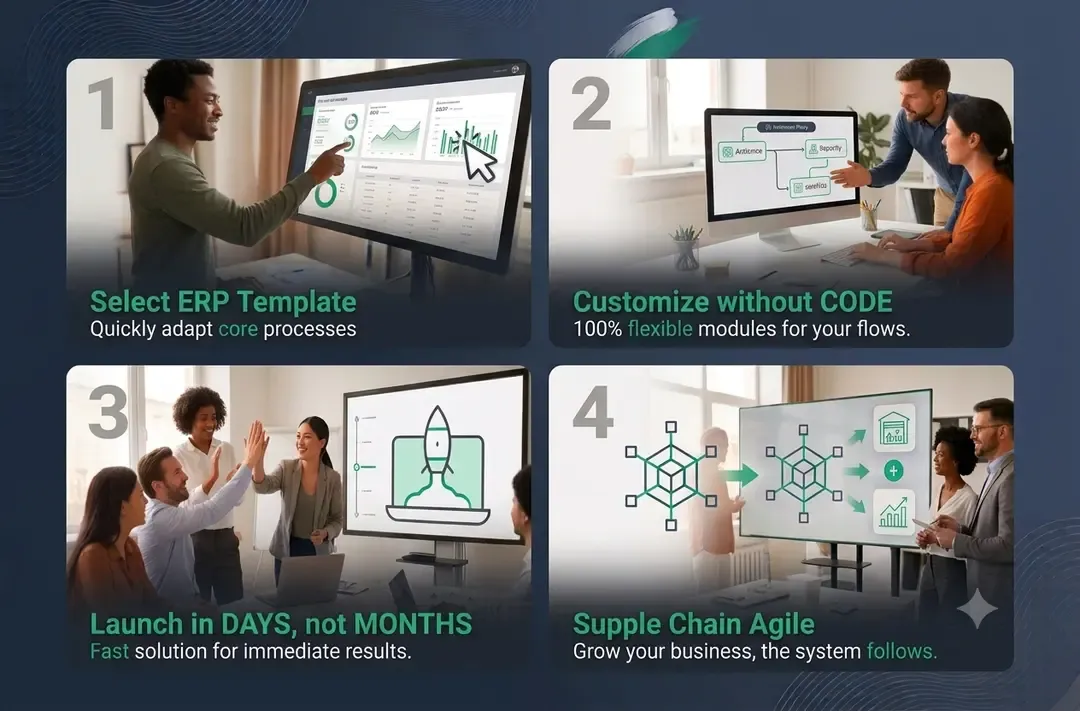
A no-code ERP is a business management system you can set up, customize, and change without writing code. Instead of hiring developers or paying consultants to adapt the software to your processes, you build workflows, forms, reports, and automations visually, the same way you would arrange slides in a presentation.
That is the definition. But the definition undersells what actually changed.
For decades, the real cost of an ERP was never the license. It was everything around it: the technical implementation, the customization projects, the consultant hours, the change requests that took months. No-code does not just make ERP simpler. It changes who can realistically run one.
Here is what that means in practice.
Where the complexity actually goes
A common misconception about no-code software is that the complexity disappears. It does not. It moves.
In a traditional ERP, complexity sits with you. The software ships as a powerful but generic platform, and turning it into something that matches your business requires technical work: configuration files, custom scripts, database mapping, integration code. That work is done by developers or certified consultants, billed by the day, over months.
In a no-code ERP, that complexity is absorbed by the platform itself. The hard engineering has already been done by the people who built the product. What is left for you is the part you are actually qualified for: describing how your business works. Which steps an order goes through. Who approves a purchase. What a project needs before it can be invoiced.
This is the key distinction. A traditional ERP asks you to translate your business into technical language. A no-code ERP asks you to describe your business in business language, and handles the translation for you.
The practical consequence is enormous. When adapting your system no longer requires a developer, two things happen at once: the cost of getting started collapses, and the cost of changing your mind later collapses with it.
What you can actually build without code
"No-code" can sound abstract, so here is what it looks like concretely. In a no-code ERP like YUBA, a business user, not an IT specialist, can build and modify:
Workflows. The path a quote takes from draft to approval to client. The steps between receiving an order and delivering it. Each stage, each handoff, each condition, defined visually.
Forms and records. The exact fields your team needs to capture for a client, a project, a piece of equipment, or an order. Not the 40 generic fields the software ships with, but the 12 that matter to your operation.
Approval rules. Purchases above a threshold go to the manager. Discounts above 10 percent need a second sign-off. Defined once, enforced automatically.
Reports and dashboards. Margin per project, stock levels by warehouse, overdue invoices by client, updated in real time instead of assembled manually at the end of the month.
Automations. When an invoice becomes overdue, notify the account owner. When stock drops below minimum, create a purchase request. When a deal is won, generate the project and its task structure automatically.
None of this requires writing a line of code. And crucially, none of it requires a change request to an external partner. When your process changes next quarter, and it will, you adjust the system yourself, the same afternoon.
What no-code is not
An honest guide has to draw the boundary, so here it is.
No-code ERP is not a toy. The systems running underneath are the same class of technology as traditional ERPs: real databases, real access control, real audit trails. The "no-code" part describes how you interact with the system, not how seriously it is built.
Our promise at YUBA is that everything you need to run your business can be done no-code. That promise is not a slogan, it shapes how we build the product. We design and continuously extend our modules so that almost any use case, in almost any industry, can be implemented visually, without a single line of code. Every time we meet a process our modules cannot yet model cleanly, we treat it as a product gap to close, not as a services opportunity to bill.
But honesty requires the full picture. There are situations that sit outside what any no-code platform should try to absorb: special interconnections with external systems, or native applications that a very specific use case depends on. A piece of industrial equipment with its own protocol. A legacy system with no modern interface. A niche application your operation is built around. Those links need to be developed custom, and pretending otherwise would be selling you a workaround instead of a solution.
The important distinction is what happens after. Custom work, when it is needed, is limited to that connection point. Your processes, workflows, reports, and day-to-day changes stay fully no-code, in your hands, with no dependency on developers for how you run the business.
The honest question is: how much of your operation actually sits at that boundary? For most companies between 20 and 100 people, the answer is very little. Orders, projects, inventory, invoicing, approvals, reporting: these processes are specific to your business in their details but standard in their structure. That is exactly the territory where no-code excels.
Why this changes who can afford an ERP
Now the part from the title.
The traditional ERP market has always had a hidden entry ticket. The license fee was visible, but the real barrier was structural: you needed either an internal IT team or a long-term relationship with an implementation partner. Companies that had neither, which describes most businesses under 100 people, were effectively priced out. Not by the software, but by everything required to make the software work.
This is why so many capable, growing companies still run on spreadsheets. It was never a lack of ambition. It was a rational response to a market that asked for 12 months and a six-figure total cost before showing any value.
No-code removes the structural barrier. When implementation takes days instead of months, and when changes are made by your own team instead of billed consultants, the total cost of ownership stops being dominated by services. What remains is a subscription, transparent and predictable.
The result is that the same class of system that used to require an enterprise budget is now within reach of a 25-person construction firm, a 40-person distributor, a 60-person services company. That is not an incremental improvement. It is a different market.
What it looks like in practice
Reading about no-code is one thing. Seeing your own processes running in it is another. This is why we do implementations differently.
Most software asks you to decide based on a generic demo, a polished walkthrough of someone else's business. We think that is backwards. A demo tells you what the software can do in theory. It tells you nothing about how it handles your actual quote-to-invoice flow, your actual inventory quirks, your actual approval chain.
So we start with your use case. You describe how your business works, and we build it in YUBA, on your real processes, with your real structure. In days, not months. Then you look at your own operation running in the system and make an informed decision.
We implement your use case first. You decide after.
That approach is only possible because the platform is no-code. There is no six-month project to protect, no sunk cost to justify. If it fits, you are already operational. If it does not, you have lost days, not budgets.
he question "what is a no-code ERP" has a short answer: a business system you can shape and reshape without developers.
But the better answer is about what it unlocks. For the first time, companies of 20 to 100 people can run the kind of connected, structured, real-time operation that used to be exclusive to enterprises with IT departments. The technology barrier is gone. The cost barrier is gone. What remains is simply the decision to stop managing a growing business with tools built for a smaller one.
If you want to see what your business looks like running on a no-code ERP, the fastest way is not another article. It is your own use case, implemented.